Ownercenter Help Center Ownercenter Help Center
  • Integrations
    • Owner Center Integration with Cloudbeds
    • Owner Center Integration with RentalWise
    • Owner Center Integration with Hospitable
    • Owner Center Integration with OwnerRez
    • Owner Center Integration with Apaleo
    • Owner Center Integration with Booking Automation
    • Owner Center Integration with Zeevou
  • Ownercenter FAQs
    • Owner Center MFA FAQs
    • Owner Center FAQs
  • Multi Factor Authentication (MFA)
    • Multi-Factor Authentication (MFA) for Owners
    • Multi-Factor Authentication (MFA) for Property Managers
  • For Property Managers
    • How Do I set up Automations?
    • Automatic Invoices
    • My Billing Info
    • Message Templates
    • How Do I Change My Password?
    • Data Dictionary
    • Owner Statements
    • Automatic Statements
    • How do I Activate Owners?
    • Profit & Loss
    • Owner Center Dashboard
    • Adding Expenses
    • Payment Rules
    • Owner Portal
    • How to create a Payout Rule?
    • How Do I Add Owners?
    • Owner Invoices
    • Updating My Account Info
    • How do I use Owner Center in a different language?
    • How Do I Create a Payment Rule?
    • Owner Statuses
    • Custom Domains
    • Property Managers: Rentals
    • Owners
  • For Owners
    • Invoices
    • Owner Rentals
    • Payments
    • Reports
    • Change Password
    • Rates
    • Owners Calendar
    • Account Info
    • Creating Hold Events
    • Expenses
    • Bookings
    • Change Language
    • Notes
For Property Managers / How do I use Owner Center in a different language? /
Website Login

How do I use Owner Center in a different language?

The default language for the Owner Center application is English. However, if this is not your preferred language, there are other options available to choose from to allow you to use one that you're more comfortable with.

Here's how to update your language.

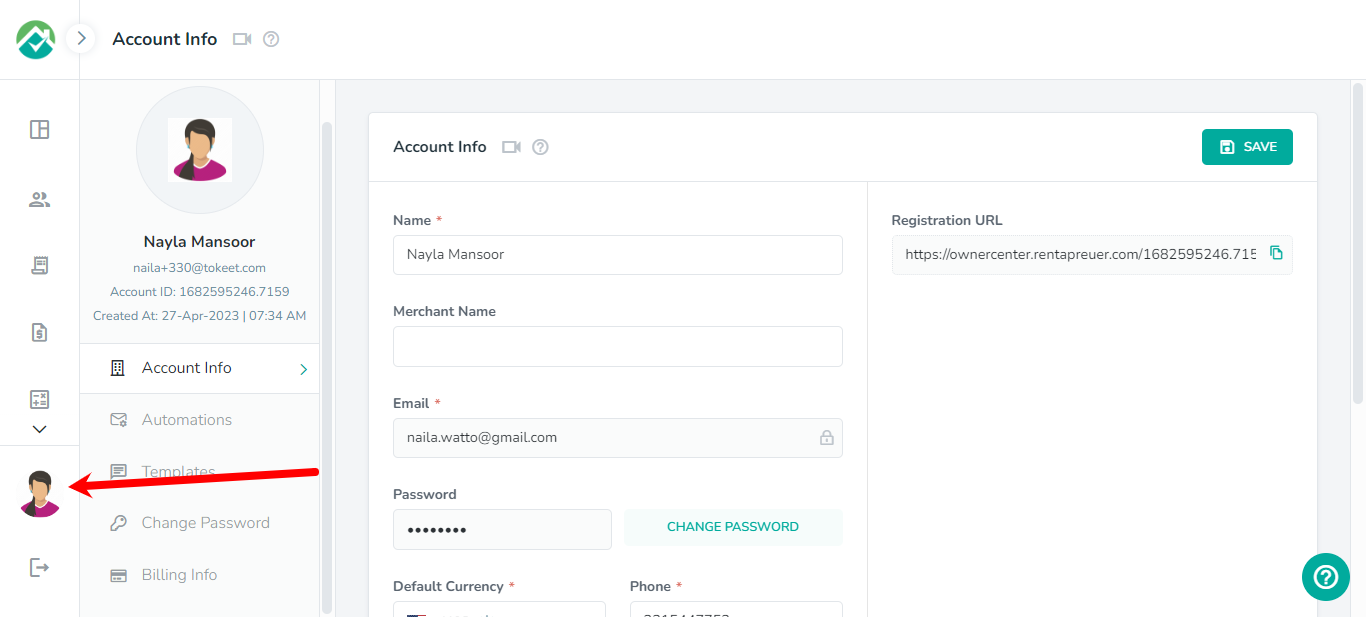
First, click on your profile picture in the lower left corner:
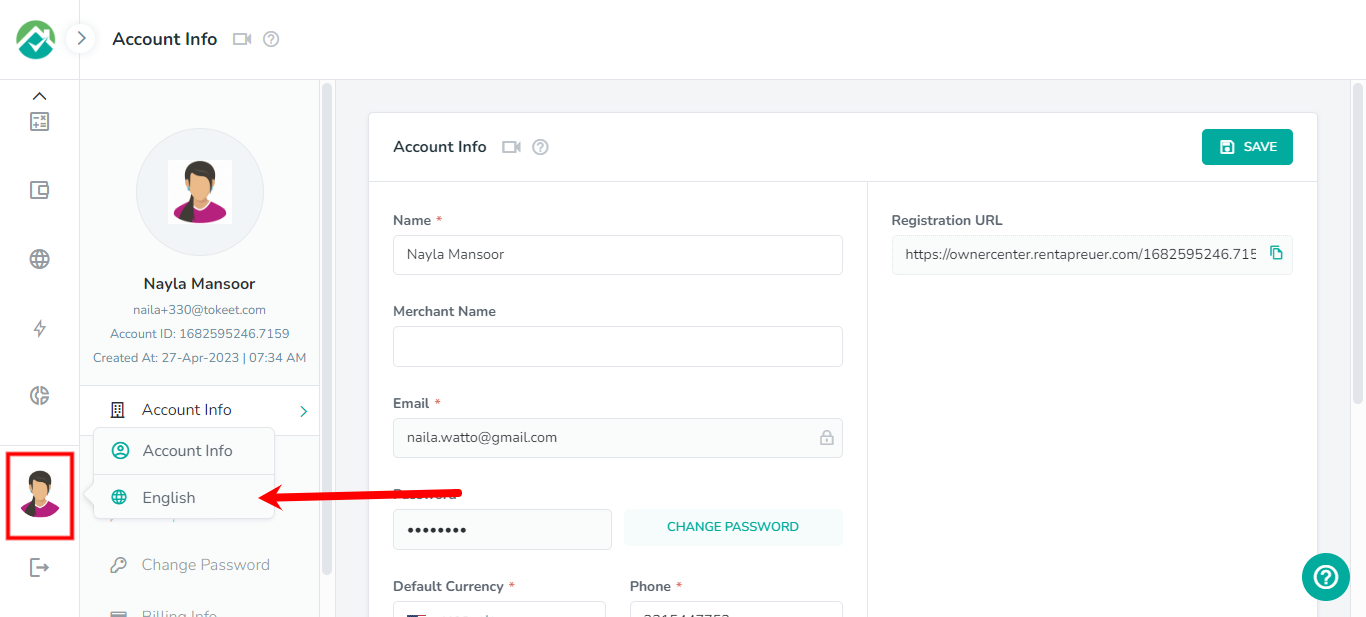
You'll then see options displayed, including the current language:
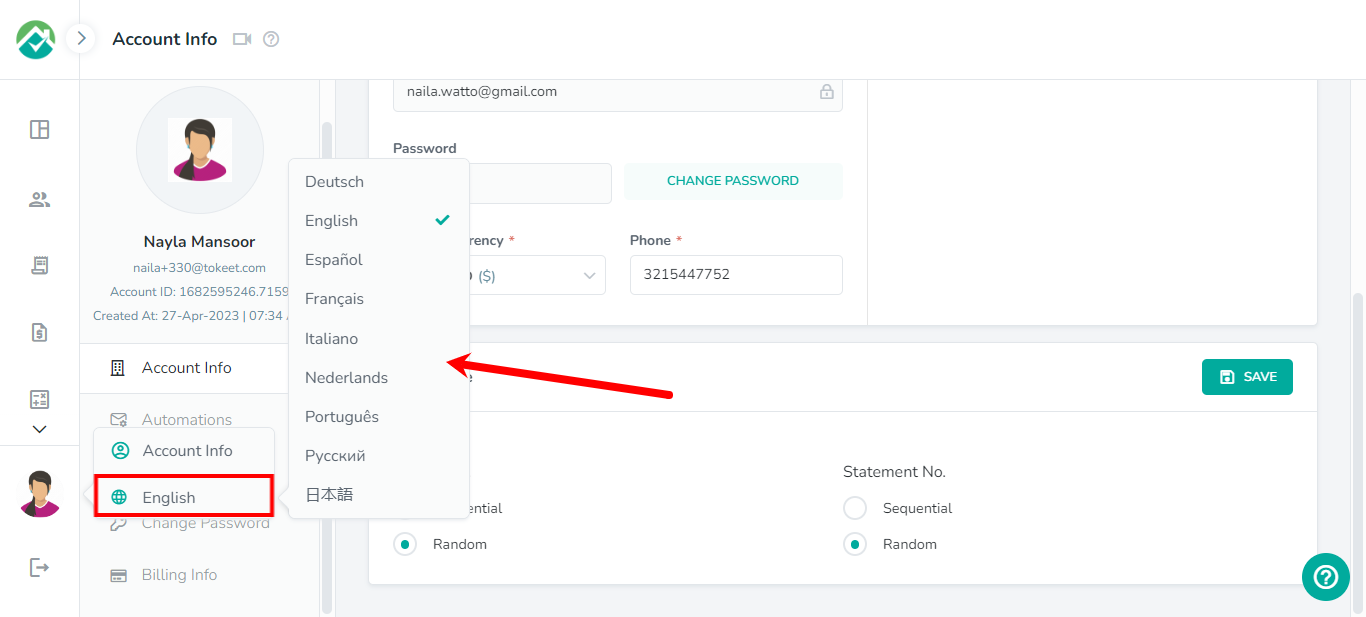
Clicking on the default "English" option, will display the other languages available to view the Owner Center platform in.
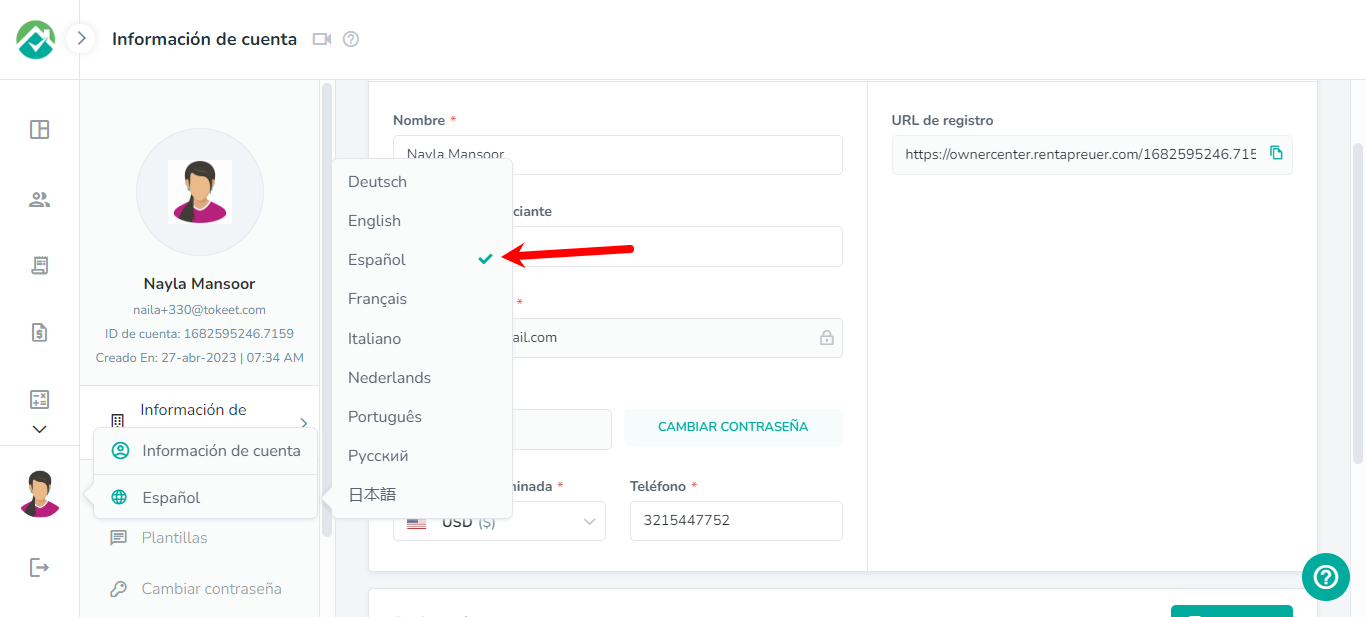
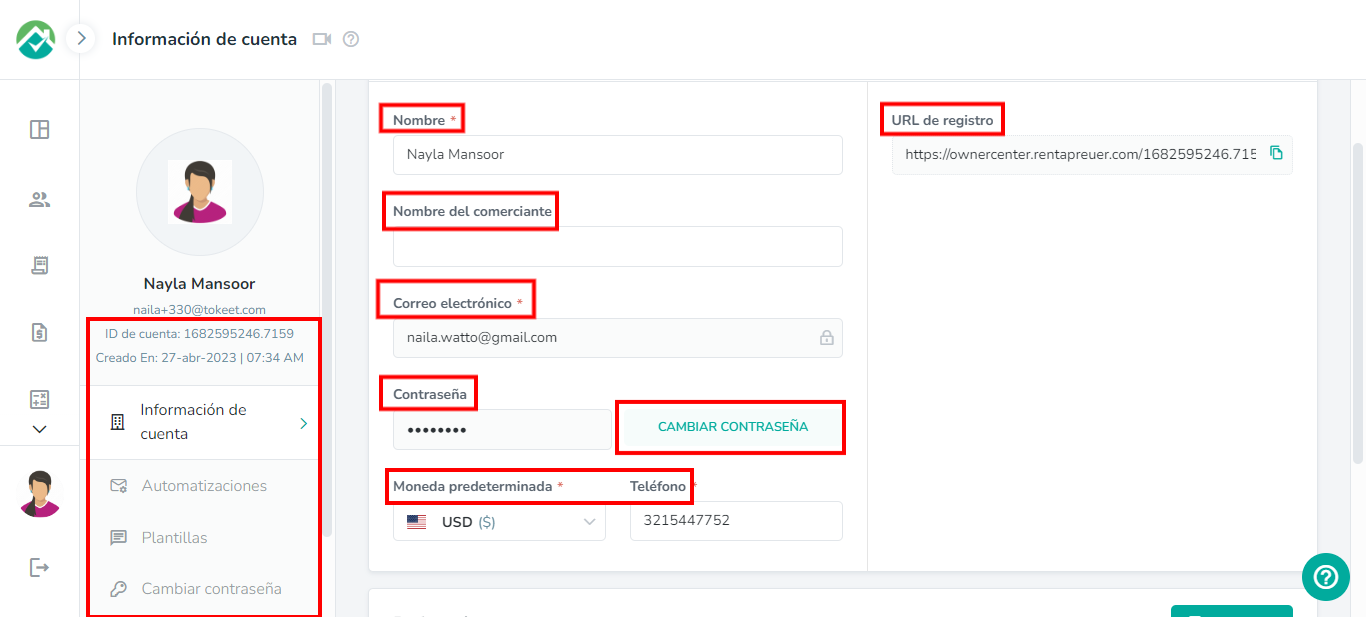
The text in Owner Center will now be updated to your selected language, in the example below, we have selected Spanish as the language:
That's it!

View our FAQs here.

As always, we're here to help. Please feel free to email support@ownercenter.net with any questions.
How did we do? Thank you! We appreciate your feedback.
Website Login
Copyright © 2025 Ownercenter. All Rights Reserved.
No documents match your search.
Searching...